We talked about registering VCF Operations on the Broadcom Portal and applying licenses to VCF Operations. Let’s continue and apply new licenses to vCenter and VSAN.
Click on Licenses> Assign Primary License
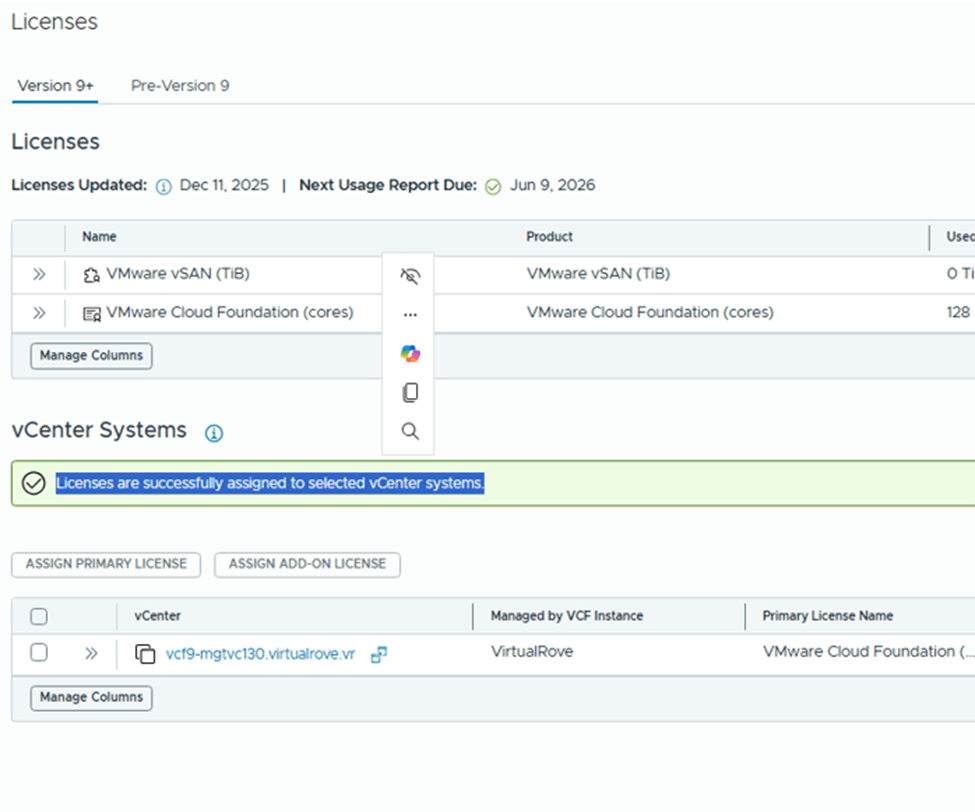
Select the VCF license and assign,
vCenter is fully licensed,
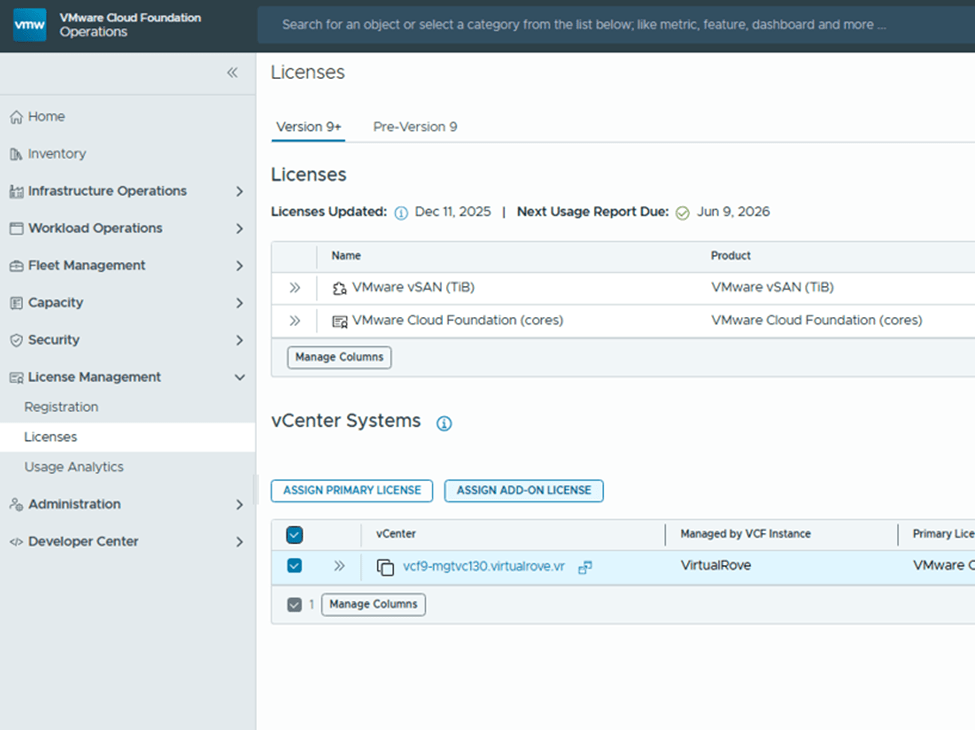
Back to licenses, Select vCenter and click on “Add-on license”
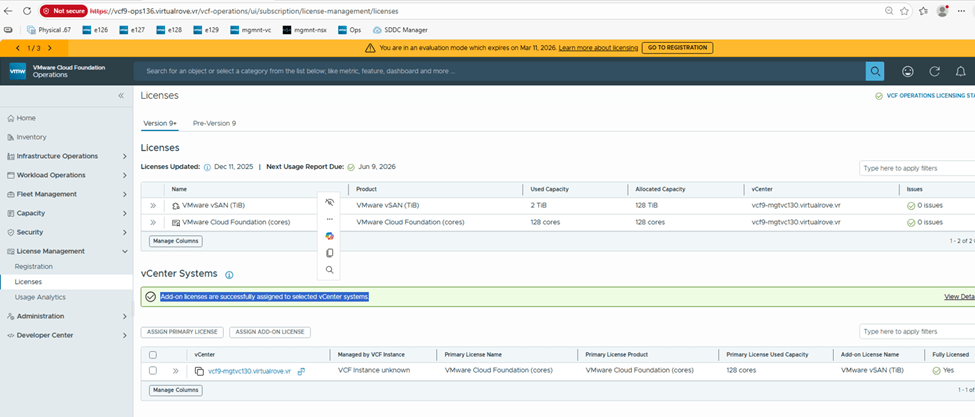
Select VSAN license and assign,
Add-on license applied successfully and vCenter is fully licensed,
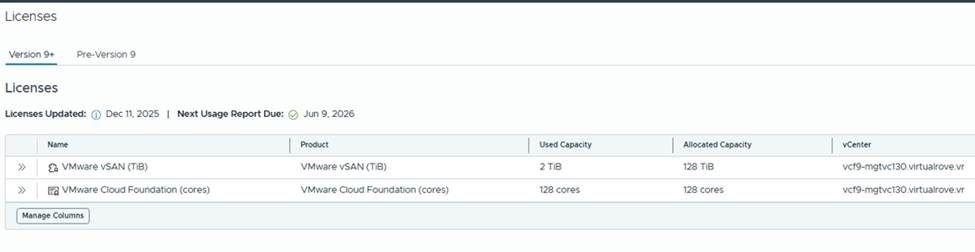
Check the “Used Capacity” in license section,
vCenter shows fully licensed,
Here is the link for official documentation on VCF 9 licensing,
That’s it for this post. We have licensed entire VCF 9 environment. Please refer to official documentation & make sure to update license usage every 180 days. 😊
Need virtual private server for an application development…? POC environment…? Need Memory and high-performance SSD Storage…? Website hosting…? Costly to manage hardware, power and maintenance for your physical infrastructure to host your applications…? Lab env for small POC’s…? VPS server for hosting VPN or Gaming server…?
You are at the right place. We have been delivering high performance virtual private servers across multiple locations. Not to worry about performance / network bandwidth or support. Try one of our virtual servers and experience it yourself.
Send us an email to contact@virtualrove.com to know more about VPS locations and more plans. OR Click Here to send an enquiry.
To become an expert in VMware Virtualization, reading blogs is definitely the right way to enhance your knowledge. However, you will not get real feel of it unless & until you try it out yourself. You get real-time production feel when you do hands on and when you resolve those unexpected issues by yourself. VMware Workstation is best way to install, configure and try new products, experiment labs as far as you have good amount hardware configuration (i.e. memory, storage & cpu).
Huge amount of compute resources (i.e. memory, storage & cpu) needed for VMware labs is one of the barrier for most of the them and this sometime becomes an obstacle for an individual. To resolve this, we have put together complete lab solutions for users who wants to learn VMware virtualization and explore it by implementing it. We have huge amount of compute resources to be rented out, which can be used for any kind of labs. You will be provided requested amount of Memory, Storage & CPUs to do the labs, which will be accessible from Anywhere, Anytime. Additionally, will assist you to setup the lab.
At very minimal cost, we will provide lab setup, assistance & 24*7 support. Our labs will be able to accommodate following VMware products, which can be deployed and tested multiple times with real time experience. Here is the list of labs followed by the certification which you will be able to achieve.
Our labs are not limited to above products. It is equipped with huge configuration which will even help you to do POC’s for following VMware products before you implement it in your production environment. All required assistance & guidance will be provided to setup these labs.
We have our own SOP’s (Standard Operating Procedures) to build the env. Connect with us to get lab experience as if you have build customer production env.
Connect with us through the contact form using below link OR send an email to contact@virtualrove.com






 Welcome to VirtualRove.COM