In our last blog post, we added a host to the workload domain. Let’s deploy an edge cluster.
By default, VCF bring-up process configures / prepares the NSX env for VLAN backed segment and it does not include edges / edge cluster. You must deploy and edge cluster for software define routing and network services.
Lets get some pre-requisites in place before we start,
We need couple of vlans configured on TOR to achieve an overlay networking,
Host Overlay Vlan – Host TEP
Edge Overlay Vlan – Edge TEP
2 Edge Uplink Vlans – To pair it with TOR for redundancy purposes.
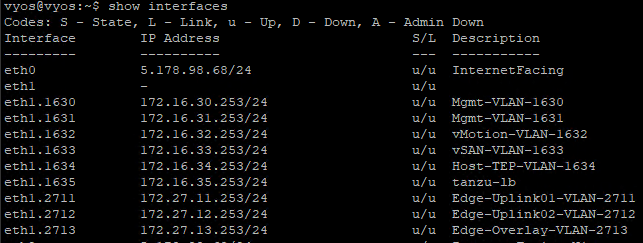
Following is vlan configuration on TOR,

Lets verify it on TOR,
Next,
Prepare the deployment parameters in an excel sheet,

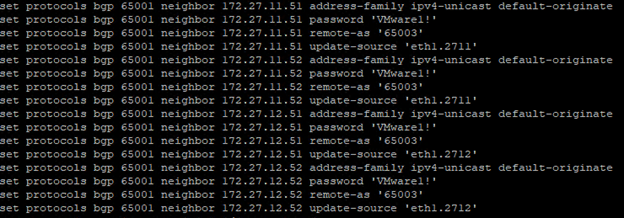
Next, Configure BGP on TOR,
Make sure to create a DNS record for edges and start the deployment,
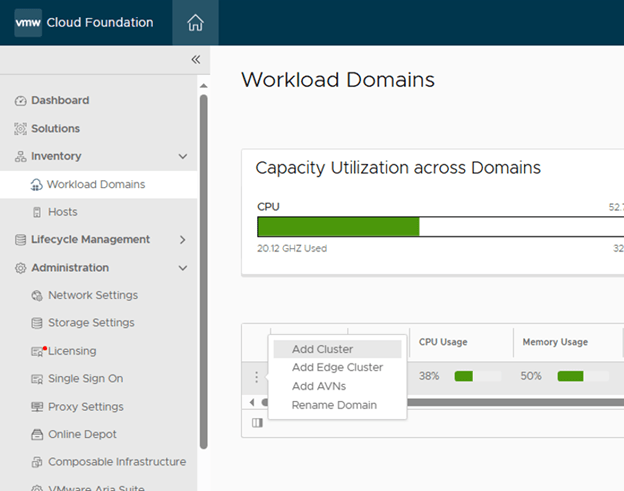
SDDC Manager > Workload Domains> Click on 3 dots besides the name and “Add Edge Cluster”
Check all Pre-requisites again and Begin,

Fill all the required details from parameters sheet that we created,

Additional cluster settings,
Kubernetes – Workload Management to create an NSX Edge cluster that complies with the requirements for deploying vSphere with Tanzu.
Application Virtual Networks to create an NSX Edge cluster that complies with the requirements deploying vRealize Suite components.
Custom if you want an NSX Edge cluster with a specific form factor or Tier-0 service high availability setting.
I have selected AVN here. You can select as per your use case.

Then the edge node settings, Type each edge node information and click “ADD EDGE NODE”at the end.
Verify the information on next page,

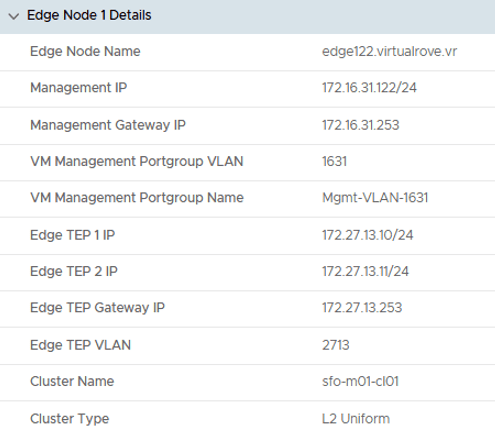
Node 1 details,
Node 1, Uplink details,
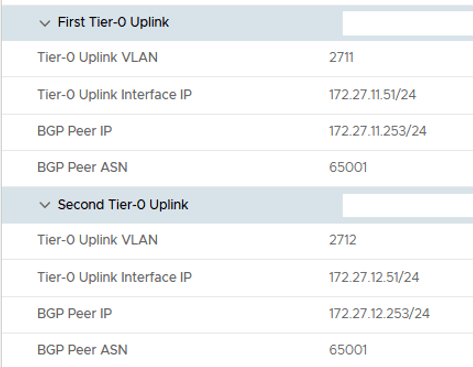
Node 2 details,

Node 2, Uplink details,
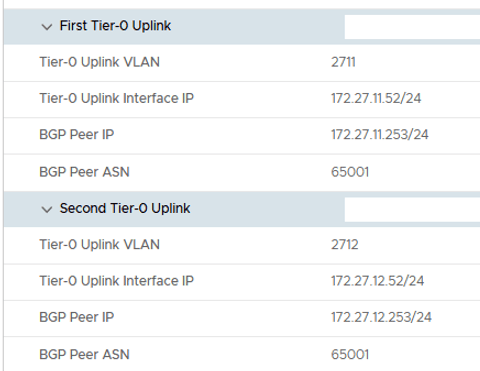
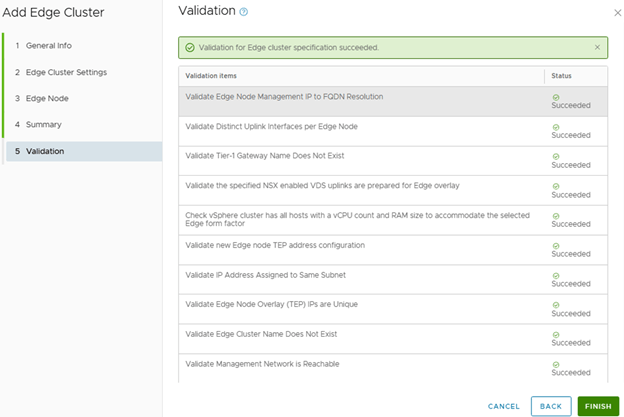
Review and fix any issues reported by validation and Finish,
Monitor the “Adding edge cluster vr-edge-cluster-01” in SDDC task details,

Task is successful and we see the edge cluster in SDDC UI,

On a high level, this workflow configures following…
Created 2 uplink port groups on vCenter VDS,

Two edges have been deployed,

Edge Cluster is created,

Transport Zone for edge vlan have been created,

Edge uplink profile have been created,

Both nodes have all these settings configured,


Active-Active Tier-0 gateway has been deployed,

VLAN Backed uplink segments has been deployed to use it in interfaces configuration,

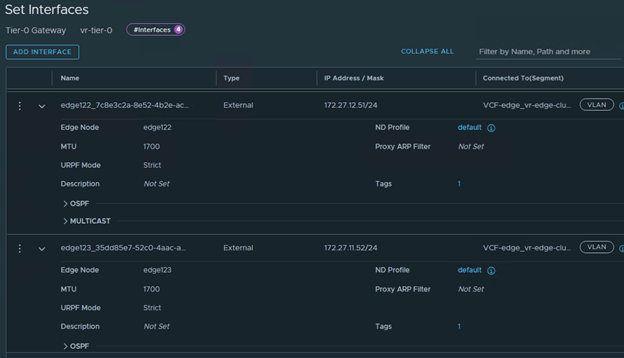
All interfaces looks good,
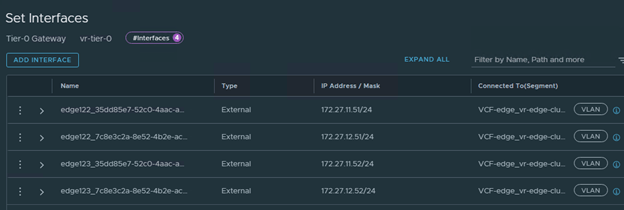
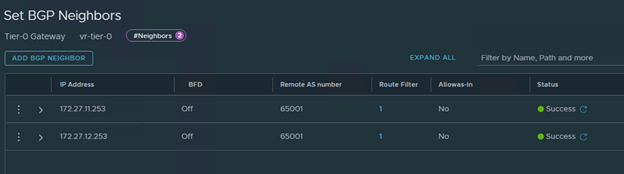
BGP is tuned on and 2 Neighbors configured,

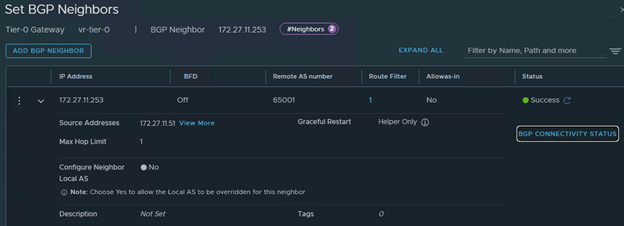
Check the BGP Connectivity status, Shows Established for both edges,

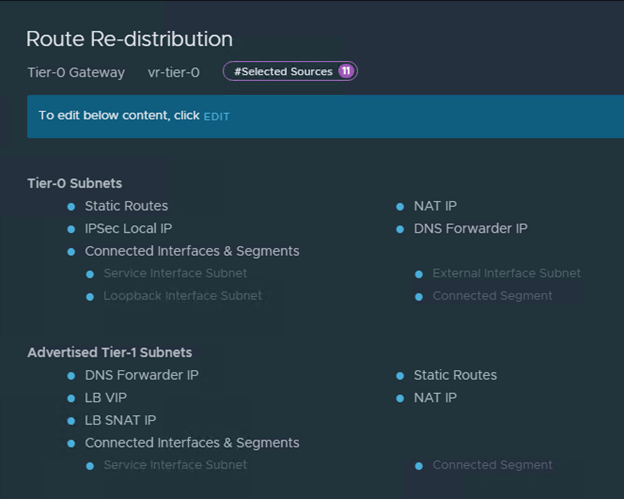
Route-Redistribution is in place,
And it has also deployed a Tier-1 gateway and connected to T-0,

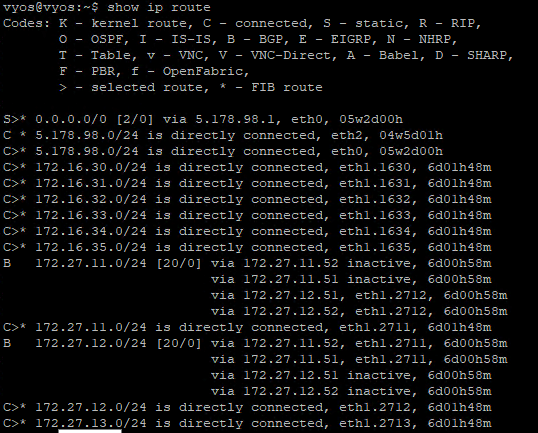
Wow, everything looks good. Lets check the BGP routes on the TOR,
All 4 BGP Neighbors shows up on the TOR,

BGP Routes looks good,
Nice.
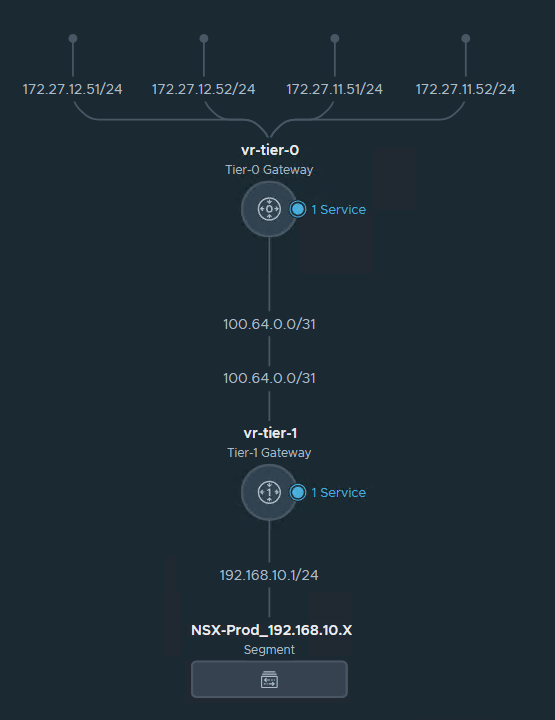
Let’s create a test segment with 192.168.X.X CIDR and check if it appears in BGP route on TOR,

New segment has been created,

And we see the new route on TOR,

Here is how my network topology looks in NSX,
Hurray…!!!
All looks good. We are good to attach new VM’s to this overlay backed segment and it would get the connectivity to rest of the world.
That concludes the adding edge cluster task.
Are you looking out for a lab to practice VMware products…? If yes, then click here to know more about our Lab-as-a-Service (LaaS).
Leave your email address in the box below to receive notification on my new blogs.
 Welcome to VirtualRove.COM