VCF 9 adopts a streamlined, subscription-based licensing model that simplifies management and compliance:
- Single license file replaces multiple component-specific keys (vCenter, ESXi, NSX, etc.)
- Licenses are version-agnostic, eliminating version-based key mismatches
- Managed centrally through VCF Operations and the VCF Business Services (VCFBS) portal
- Designed for both connected mode (auto-reporting) and disconnected mode (manual uploads every 180 days)
Let’s dive deeper into it. I have freshly deployed VCF 9 environment.
After you deploy the env, it operates in evaluation mode for up to 90 days. During that period, you must license your environment.

Here are details for one of the esxi from the env,

As you can see, I have 2 physical sockets on this esxi and cores per socket are 4. That sums up to 8 CPU cores. However, when it comes to license calculation, it by default calculates 16 cores per socket even if I just have 4 cores per socket.
So, total number of licensed core on this esxi would be 32 cores.
I have 4 esxi hosts in this management workload domain cluster, so the total number of licensed cores would be (4*32) 128 cores.
Primary licenses apply only to ESXi hosts by count of physical CPU cores, with a 16-core minimum per CPU.
Moving to add-on license. This applies to vSAN Capacity in TiB’s. And the formula is, 1 TiB per licensed core. In my case, I will have 128 TiB allowed storage since I have 128 cores. For storage-heavy use cases, you need to purchase additional vSAN add-on capacity license.
Maintaining license compliance now includes periodic usage reporting:
Connected Mode (Internet Connection Required): VCF Operations sends usage data automatically each day; updates required every 180 days
Disconnected Mode (Dark Site): Manually download, upload, and activate new license files every 180 days
Failure to report can place hosts into expired status—preventing workloads until remedied. Basically, all hosts gets disconnected and you cannot start any vm. ☹
Let’s go to Ops> License Management> Registration

I will be demonstrating “Disconnected” mode for this blog.
On the vCenter, it shows evaluation mode,

Hosts show “Unlicensed”
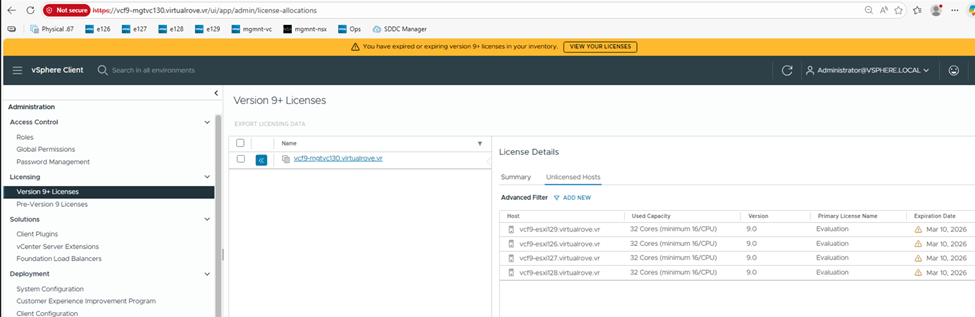
NSX side,

That reminds me,
As per VMware Documentation, here
Starting with version 9.0, the licensing model is the same for VCF and vSphere Foundation. You assign licenses only to vCenter instances. The other product components, including ESXi hosts, that are connected to the licensed vCenter instances, are licensed automatically.
You no longer license individual components such as NSX, HCX, VCF Automation, and so on. Instead, for VCF and vSphere Foundation, you have a single license capacity provided for that product.
For example, when you purchase a subscription for VCF, with the license you receive and assign to a vCenter instance, all components connected to that vCenter instance are licensed automatically.
Back to “Registration”
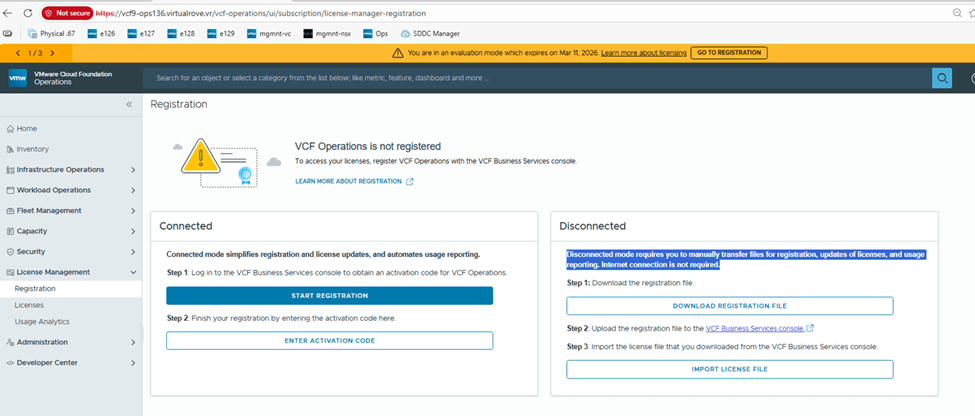
Click on “Download Registration File”

Login to https://vcf.broadcom.com with your credentials.
Switch the site ID and make sure it is correct one and click on License,
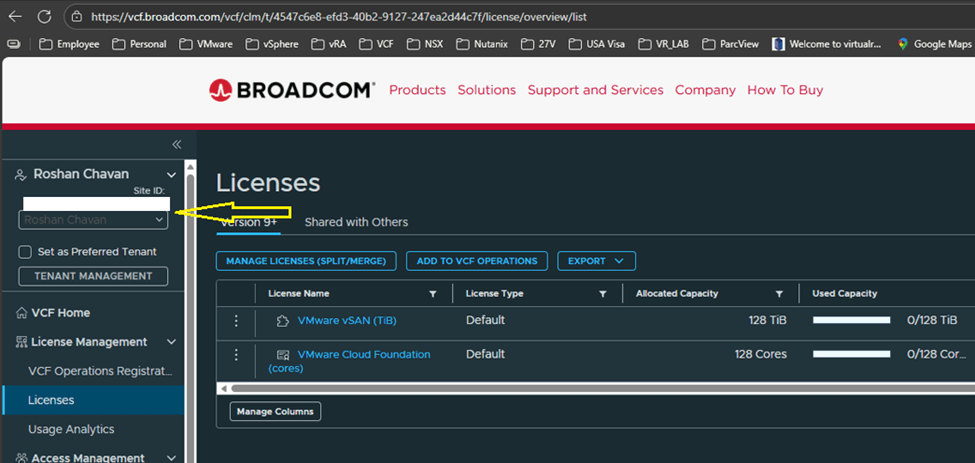
I have vmug licenses which are already showing up on the portal with my vmug entitlement.
Back to VCF Home page on the portal, Click on “Upload registration file”
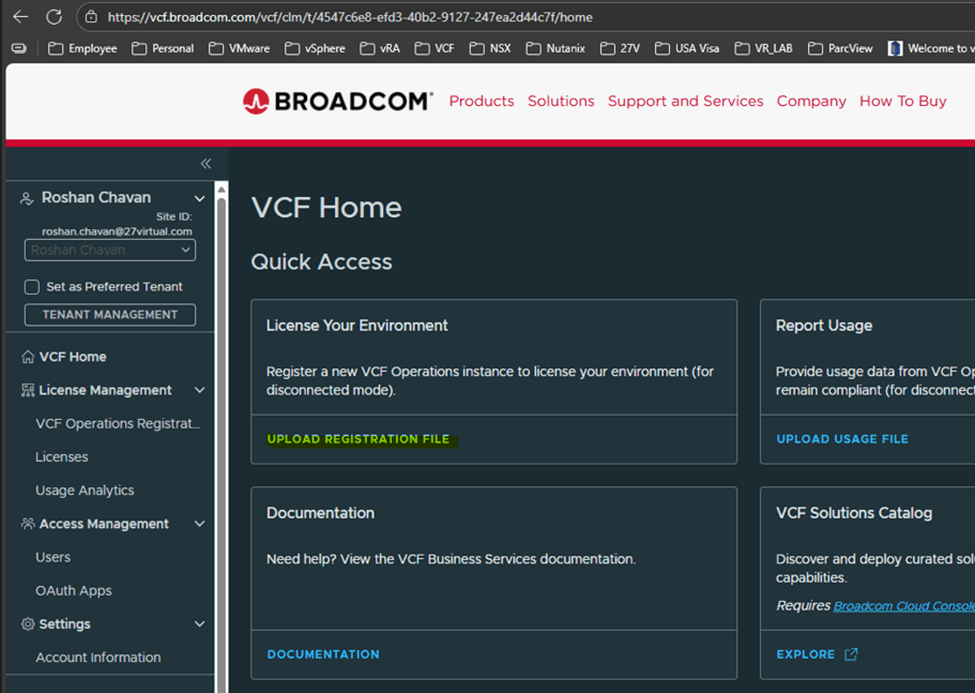
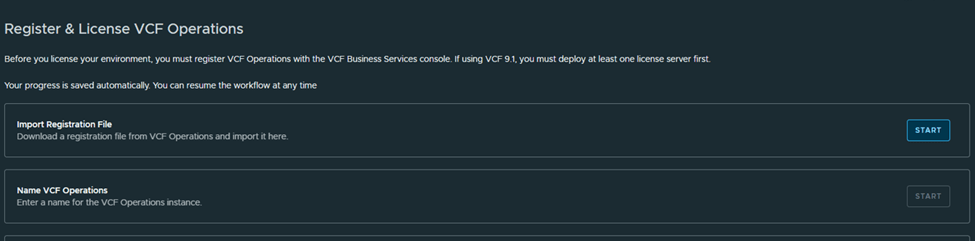
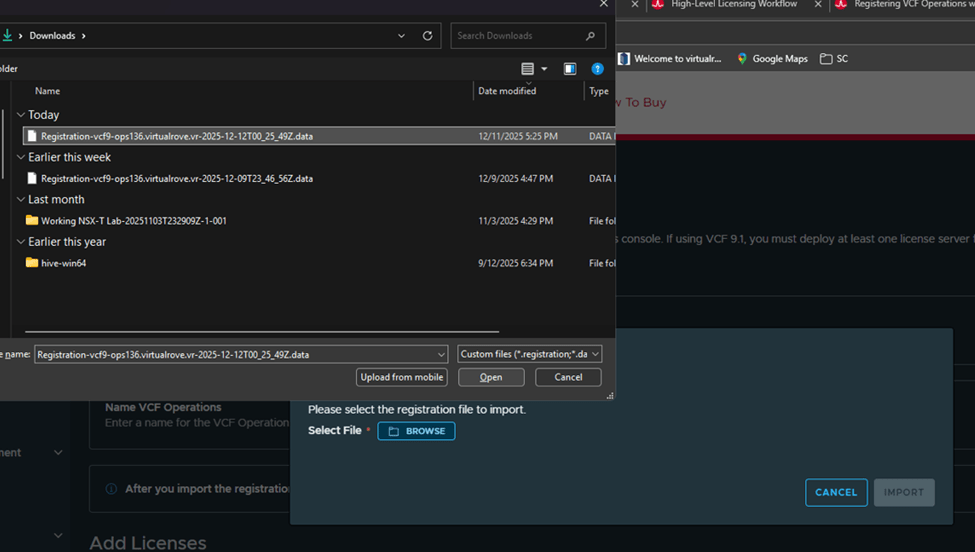
Upload the file that we downloaded earlier,
Next, Name the VCF Operations,
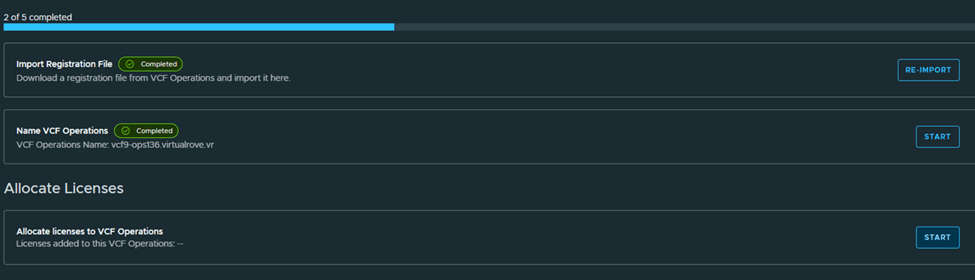
Next, Allocate licenses,

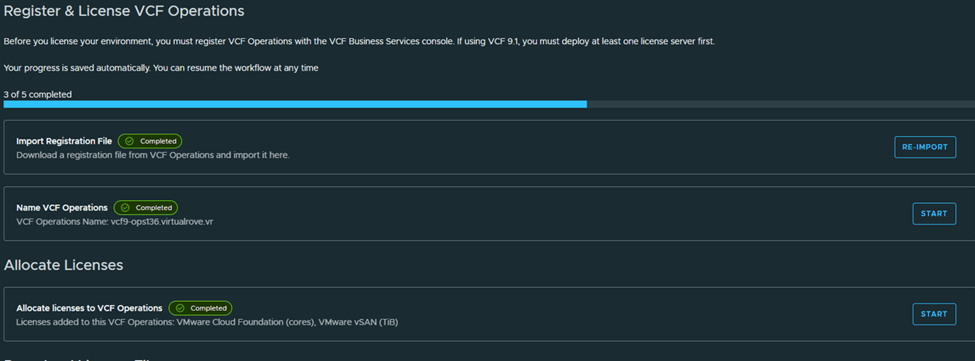
Next,
Download the generated licensed file and mark as completed,

We are done on this portal here,

Back to registration page shows this,
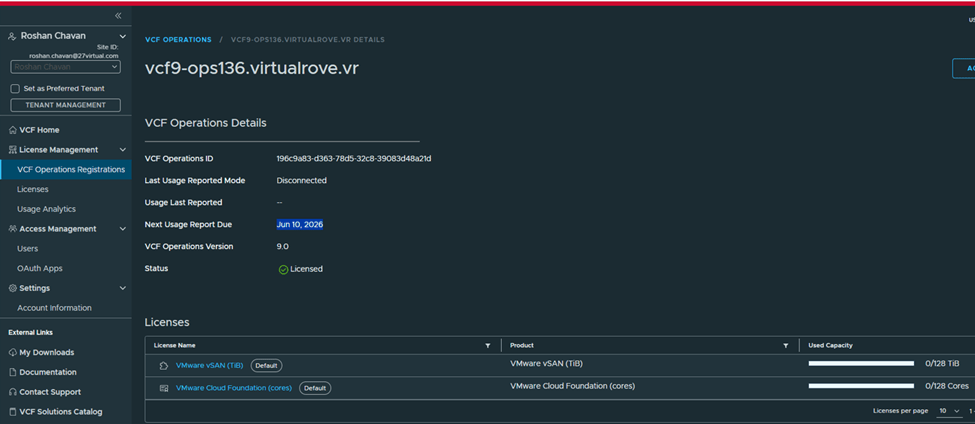
Let’s import the downloaded licensed file to our VCF operations in our environment,
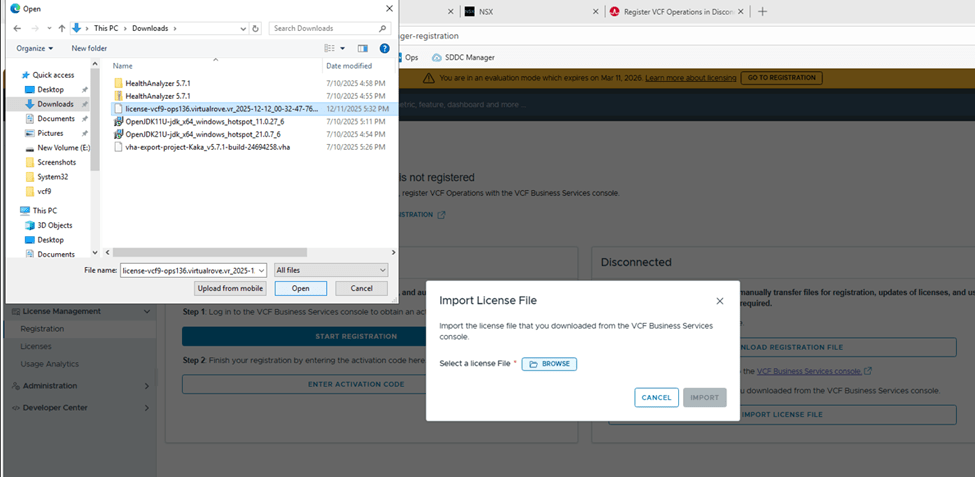
Once imported, VCF Operations shows registered,

Status: Licensed
Mode: Disconnected
Next usage date: You need to report license usage before this date, or else all hosts will be disconnected.
VCF Operations name: shows Operations instance
We have licensed our VCF Operations instance. That’s a wrap for today! Stay tuned for the next blog—where we will talk about applying those licenses to vCenter and VSAN.
Are you looking out for compute resources (CPU / Memory / Storage) to practice VMware products…? If yes, then click here to know more about our Lab-as-a-Service (LaaS).












 Welcome to VirtualRove.COM