To manage the lifecycle of VCF fleet level Management components such as VCF Operations, VCF Operations for networks, VCF Operations for logs, VCF Automation & VCF Identity Broker, you need to use VCF Operations fleet management appliance.
And before you can perform any of these operations, VCF Operations needs to be configured either for Online or Offline depot. This is the place where all downloaded binaries will be stored, which allows you to install, upgrade or patch any of the above-mentioned components.
Let’s dive into the lab,
I have freshly installed VCF 9.0 env. Plan is to install further components in the lab,
VCF Operations> Fleet Management> Lifecycle

As you can see “MANAGE” option is only available for VCF Operations. And rest needs to be installed. If I click on ADD on any of those,
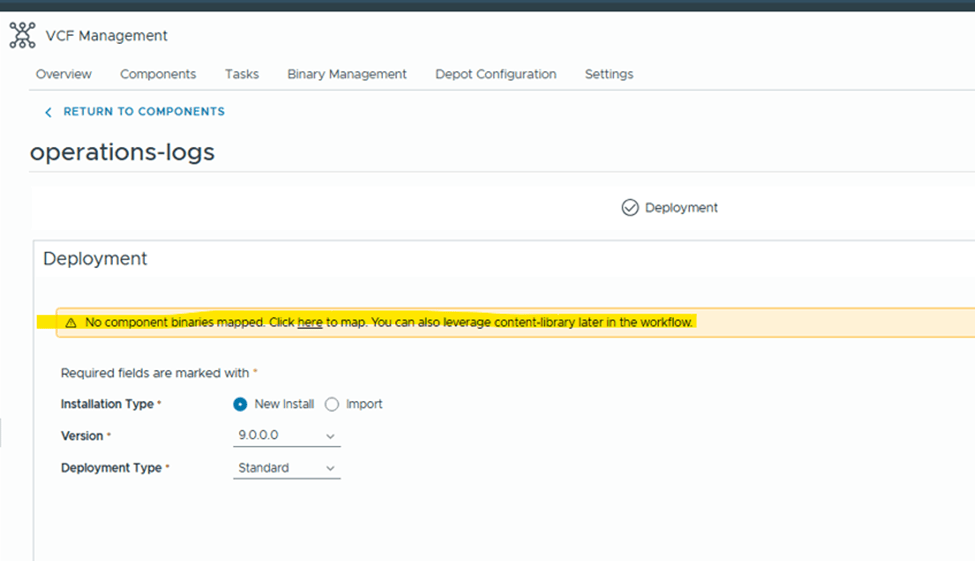
It says, NO component binaries mapped.
Under binaries management, Depot is not configured.

Under “Depot Config”, we have 2 options
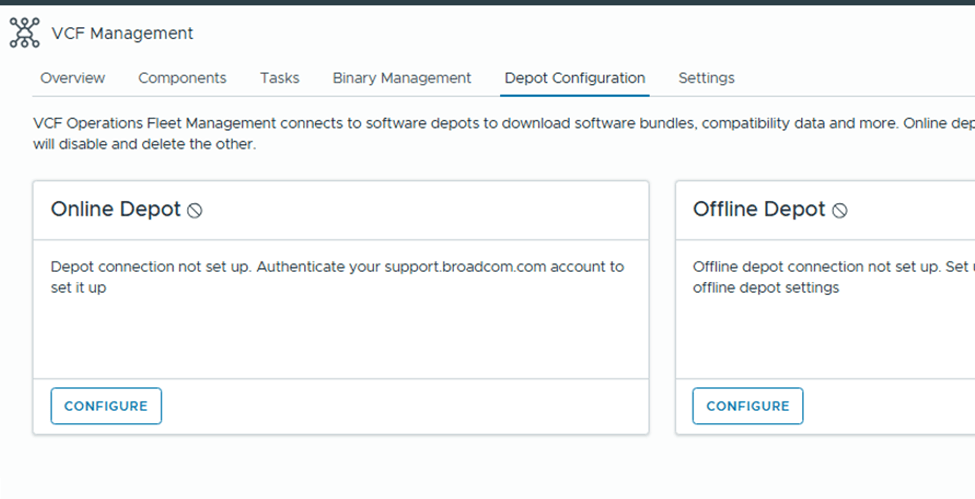
Online Depot: Use this option if the appliance has internet connectivity and you have obtained download token from support.broadcom.com portal.
Offline Depot: This option requires you to setup either web server which has access to internet or local server where you would upload all binaries manually to.
For this example, I will be configuring “Online Depot”
Click on “Configure” under online depot,

Click on the + sign on the right side,
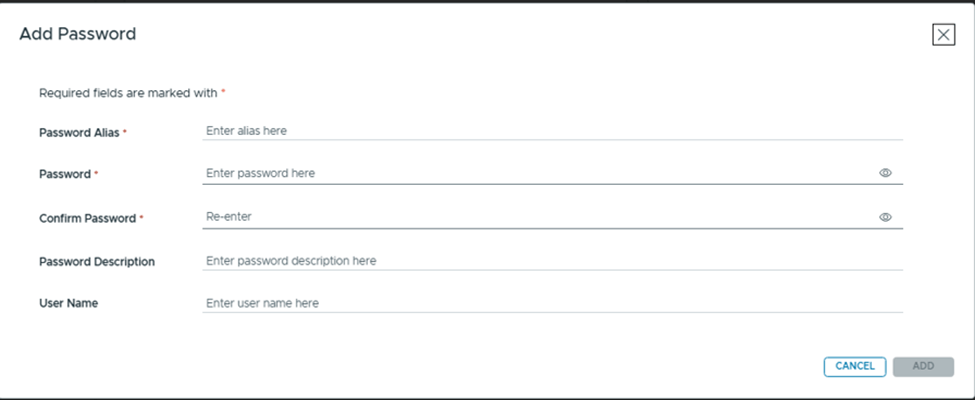
Password Alias: Any friendly name.
Password: Paste the token from Broadcom portal. (will explain later in this article on how to generate one)
Confirm Password: Paste the same token again.
Rest two are option fields.

Select the “Download Token” that we just created,

Accept the certificate and OK.

Online depot is now active.

You would see all available products to download binaries for,

I selected “operations-logs” for testing and downloaded it,
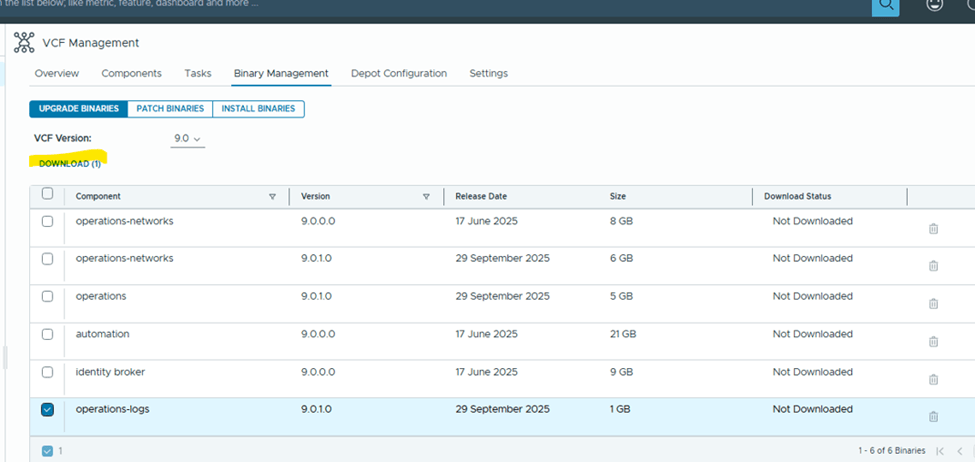
You can monitor the status of the download under Tasks,
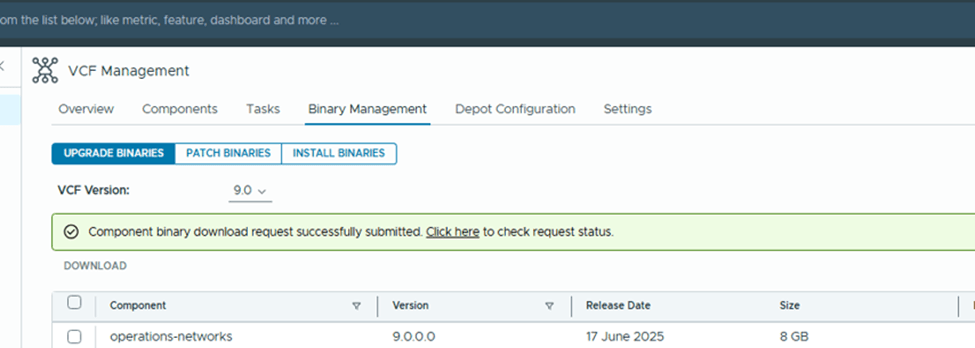
That’s it. You are good to download rest of the products.
To download the “Download Token”, login to https://support.broadcom.com
Select VCF from top right corner,

Scroll down to “Quick Links”

Click on “Generate Download Token”. Select your Site ID and Generate Token.
Note: You need to have proper permissions to access the site.
Check the official documentation here for any additional information,
Lifecycle Management of VCF Management Components
Hope that was helpful information. Keep learning.
Are you looking out for a lab to practice VMware products…? If yes, then click here to know more about our Lab-as-a-Service (LaaS).
 Welcome to VirtualRove.COM