During ESX Upgrade prechecks, I encountered the following error.
“Error: The current vCenter is not licensed by a license server.”
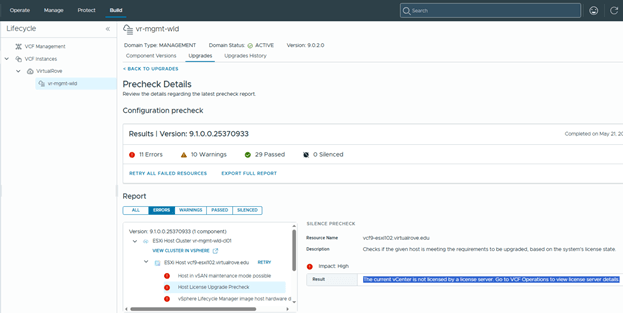
To resolve this, add the required licenses to the new VCF 9.1 license server. In my case, I had to re-add the licenses even though the environment had been licensed previously, because VCF 9.1 introduces a new license server architecture.
VCF Operations> License & Registrations,
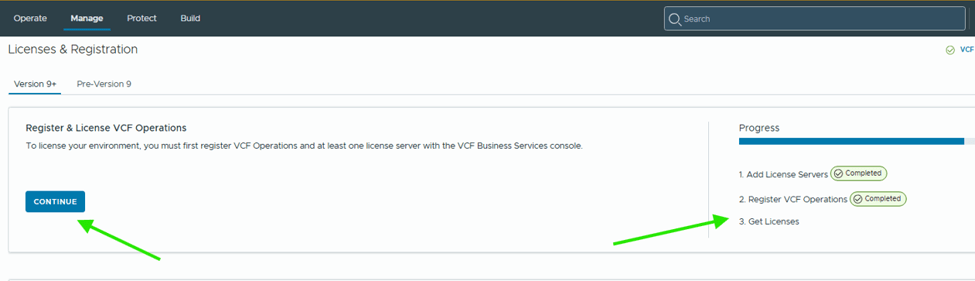
Notice the progress on right side.
Hit continue,
Pre-Registration shows complete. Click on Start registration to get the activation code from the portal.
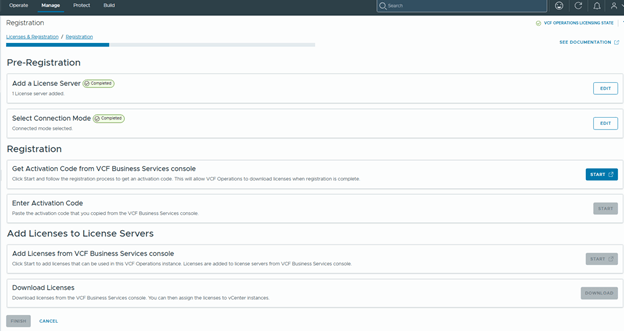
Generate Activation Code and Apply Code,
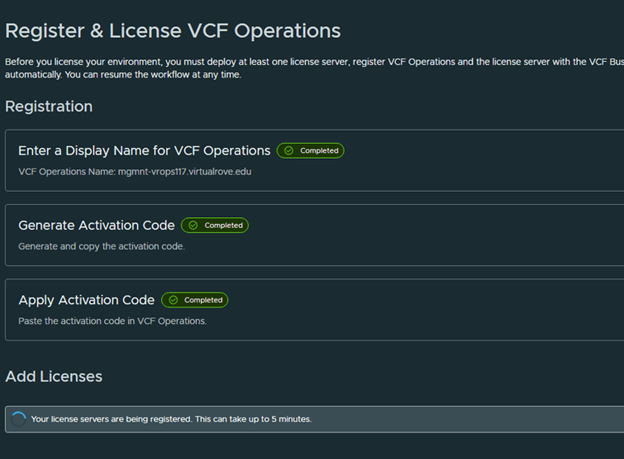
Then add licenses,
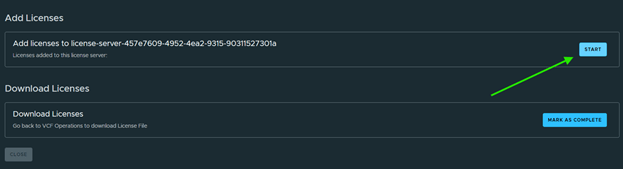
Select all applicable licenses and Confirm,
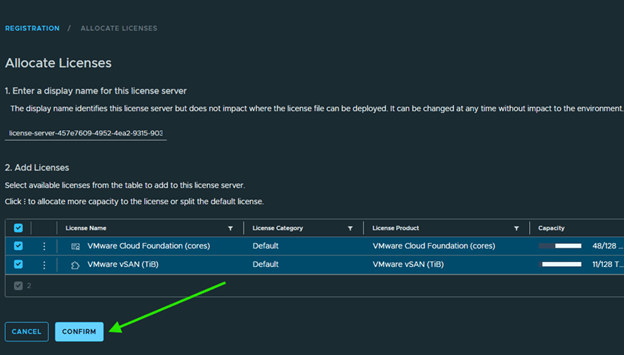
Mark Complete,
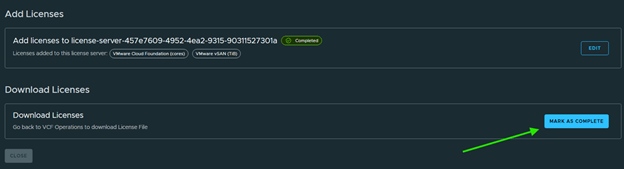
Back to VCF Operations to download licenses,

All steps complete here. Click Finish,
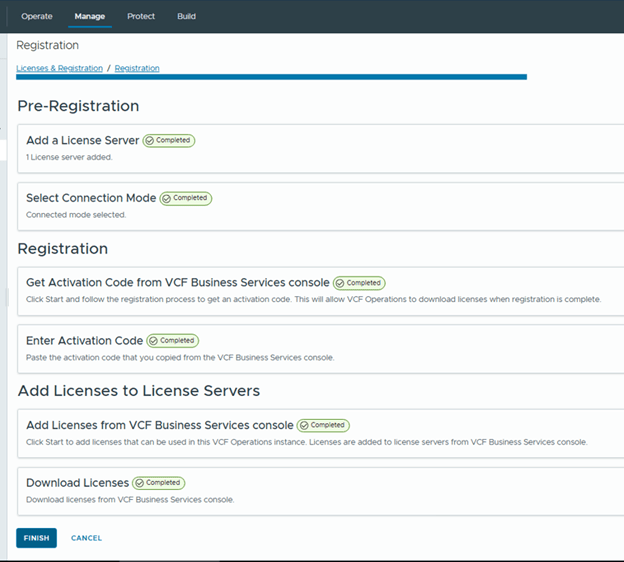
After completing license registration and synchronization, re-run the precheck. The license-related error should be cleared.
In summary, this issue occurs when the upgraded VCF 9.1 environment is not fully synchronized with the new license server architecture. Even if the environment was licensed previously, the licenses may need to be registered, activated, added, and synchronized again through VCF Operations. After completing the registration workflow and downloading the licenses, re-run the ESX upgrade precheck to confirm that the vCenter licensing error has been resolved.
That’s if for this post. Keep sharing.
Are you looking out for compute resources (CPU / Memory / Storage) to practice VMware products…? If yes, then click here to know more about our Lab-as-a-Service (LaaS).
 Welcome to VirtualRove.COM