VCF Upgrade Precheck Error: vCenter Is Not Licensed by a License Server

During ESX Upgrade prechecks, I encountered the following error.

“Error: The current vCenter is not licensed by a license server.”
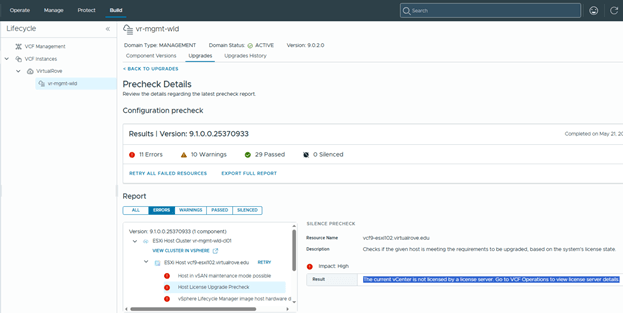
To resolve this, add the required licenses to the new VCF 9.1 license server. In my case, I had to re-add the licenses even though the environment had been licensed previously, because VCF 9.1 introduces a new license server architecture.

VCF Operations> License & Registrations,
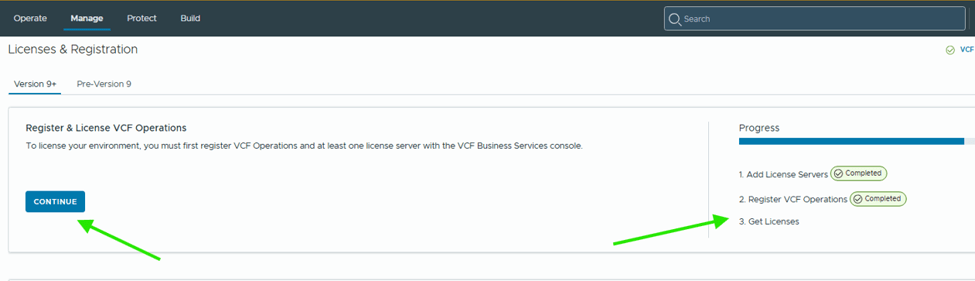
Notice the progress on right side.

Hit continue,

Pre-Registration shows complete. Click on Start registration to get the activation code from the portal.
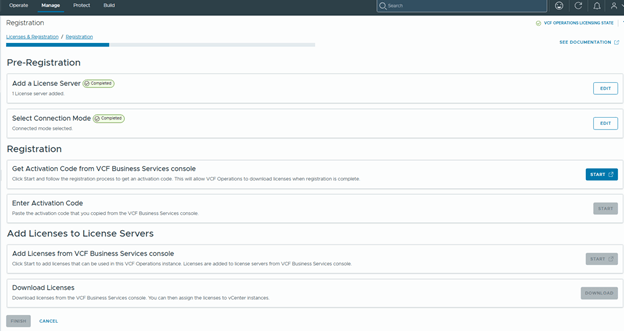
Generate Activation Code and Apply Code,
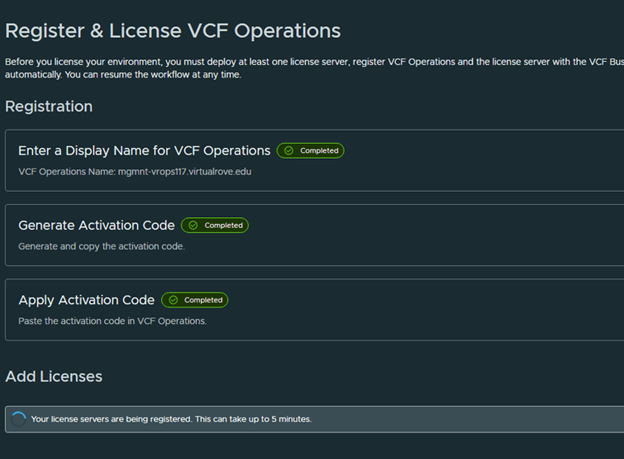
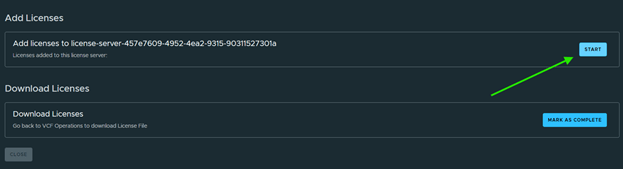
Then add licenses,
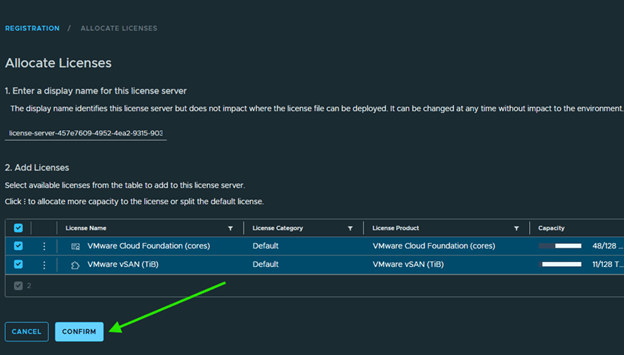
Select all applicable licenses and Confirm,
Mark Complete,
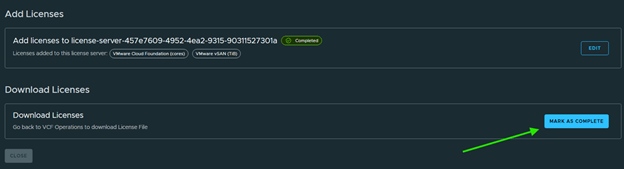
Back to VCF Operations to download licenses,

All steps complete here. Click Finish,
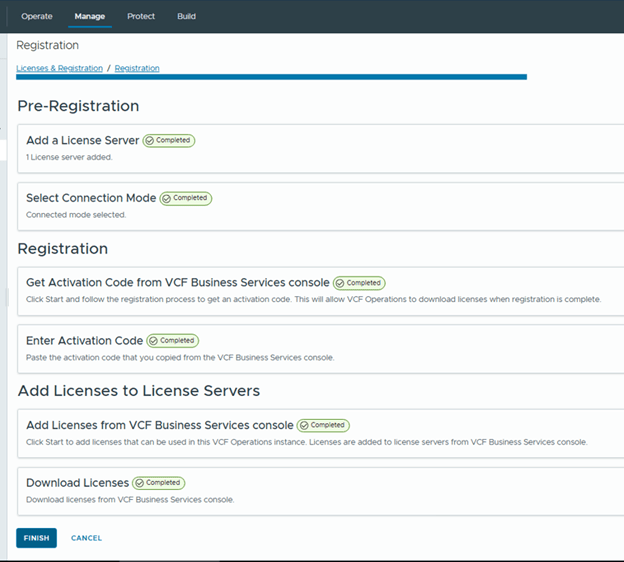
After completing license registration and synchronization, re-run the precheck. The license-related error should be cleared.

In summary, this issue occurs when the upgraded VCF 9.1 environment is not fully synchronized with the new license server architecture. Even if the environment was licensed previously, the licenses may need to be registered, activated, added, and synchronized again through VCF Operations. After completing the registration workflow and downloading the licenses, re-run the ESX upgrade precheck to confirm that the vCenter licensing error has been resolved.

That’s if for this post. Keep sharing.

Are you looking out for compute resources (CPU / Memory / Storage) to practice VMware products…? If yes, then click here to know more about our Lab-as-a-Service (LaaS).
How to get free VMware Eval Licenses

Greetings VMware Techies,

We often get into the situation where we need to apply VMware licenses to test VMware products. And most of them are not aware that, VMware provides 60 days trial period for most of the products. For, VMware vCenter Server & ESXi gets the default trial period as soon as you install it. However, for some products you have to ask VMware to provide evaluation license key to test the product. It is easy and simple to get trial licenses for VMware Products.

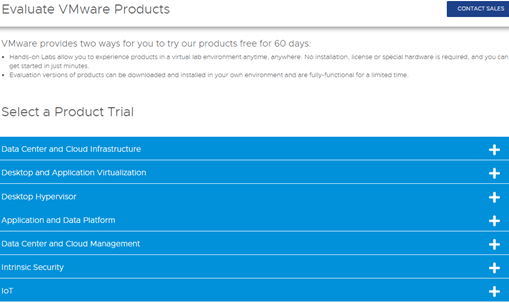
Check the following link to know the products that are available for trial period license.

https://www.vmware.com/try-vmware.html

Further click on (+) sing to see available products…

Lets assume that You want to test VMware NSX-T Data Center product…
Click on Download Free Trial >>
Next, enter the account information if you have one. If not, then you get an option to create it…

Once you login, clickon ‘License & Download’ and click on ‘Register’

Fill out all the details and click on ‘START FREE TRIAL’

Home screen will show following msg…

And you should see the eval license key under ‘License & Download’ with expiration date.

On the same page, you get an option to download the ova / iso file for the product.

That was easy. 😊
Check out other products available on try-vmware page and enjoy the product evaluation.

Are you looking out for a lab to practice VMware products..? If yes, then click here to know more about our Lab-as-a-Service (LaaS).

Leave your email address in box below to receive notification on my new blogs.