Step 3: Upgrade SDDC Manager
Log in to SDDC Manager and navigate to Binary Management > Upgrade Binaries. Select VCF 9.1 and download the required upgrade bundle.
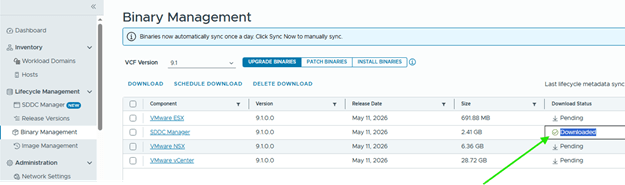
You can also perform binary management from VCF Operations. Before downloading binaries, make sure the software depot is configured correctly and reachable.
Next, run a precheck against the management workload domain from VCF Operations.
Ops> Build> Lifecycle> Select mgmnt wld under the vcf instance and click on “Run Precheck”
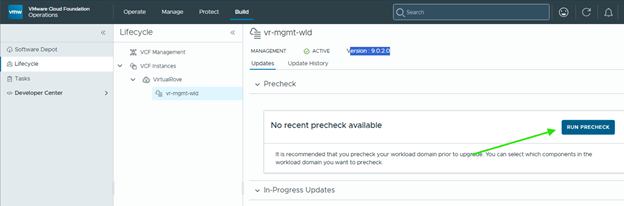
Target Version: 9.1
Precheck scope: All
Run Precheck,
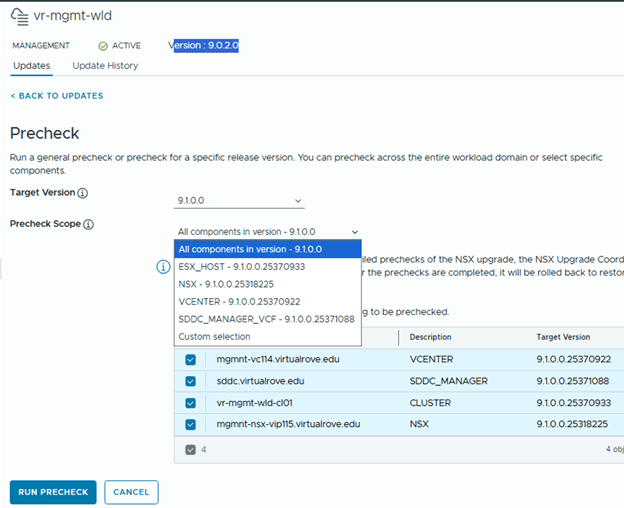
Review all failed checks and resolve them before continuing.
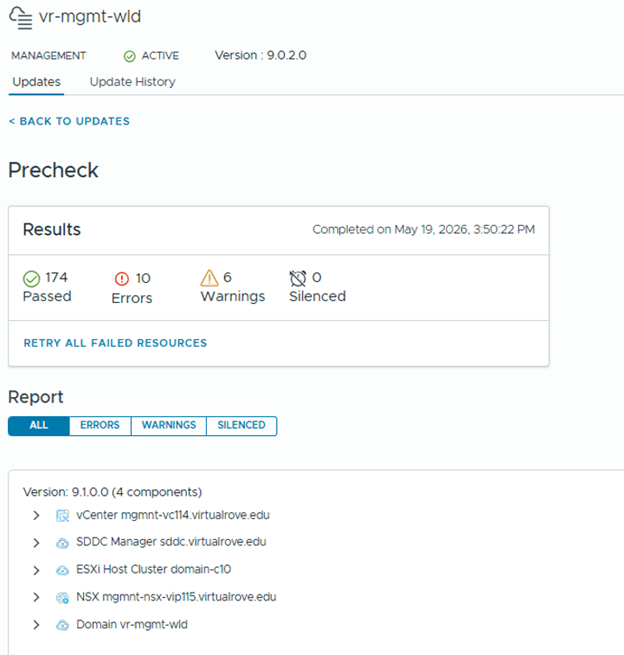
In my lab, I saw a few minor issues related to missing backups and support bundles. Each precheck failure included details and remediation guidance.
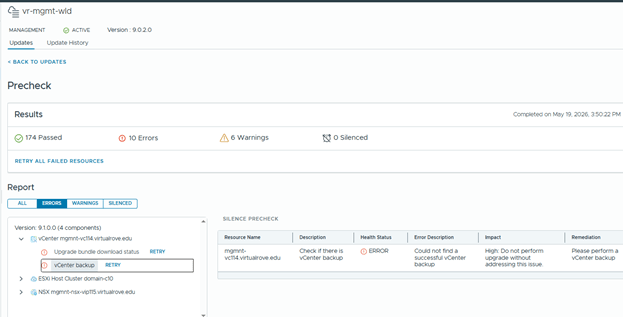
After resolving issues, select Retry All Failed to rerun the failed checks.
Mine came down to 6 errors from 10 after resolving some.
Note: Some warnings or errors may not block the upgrade, but you should understand each reported issue before proceeding.
Once done, go back to the instance level, and perform prechecks against the SDDC manager again,
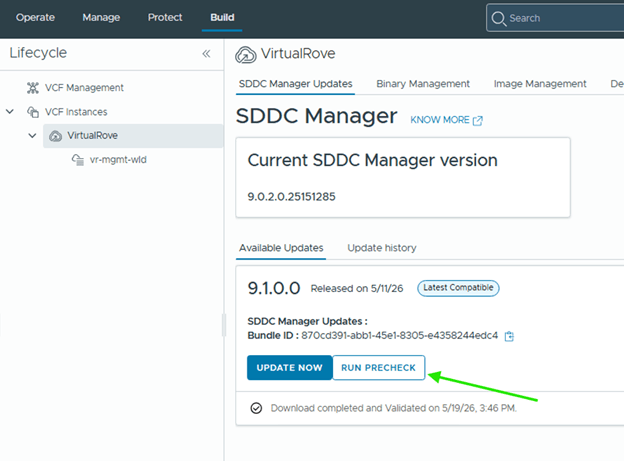
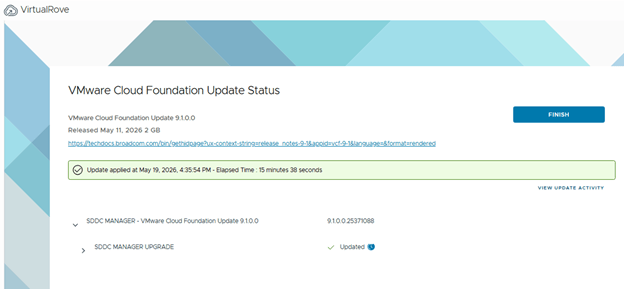
Once all required issues are addressed, start the SDDC Manager upgrade and monitor the workflow for failures.
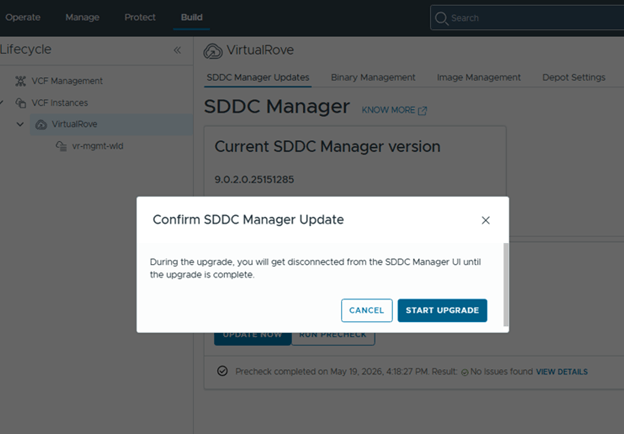
Monitor the upgrade for any errors,
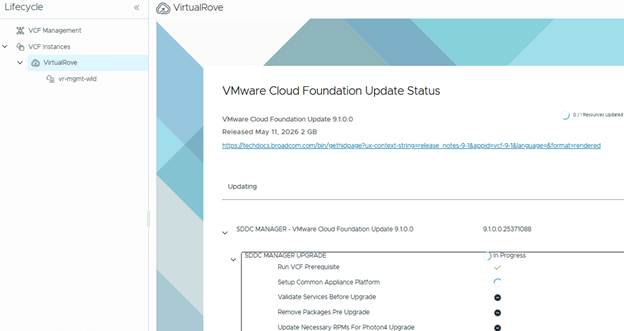
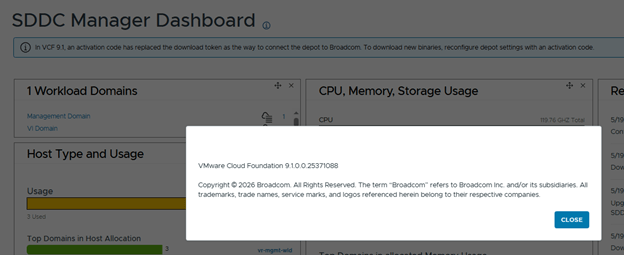
After the workflow completes successfully, SDDC Manager is upgraded to VCF 9.1.
Step 4: Reconfigure Software Depot Authentication
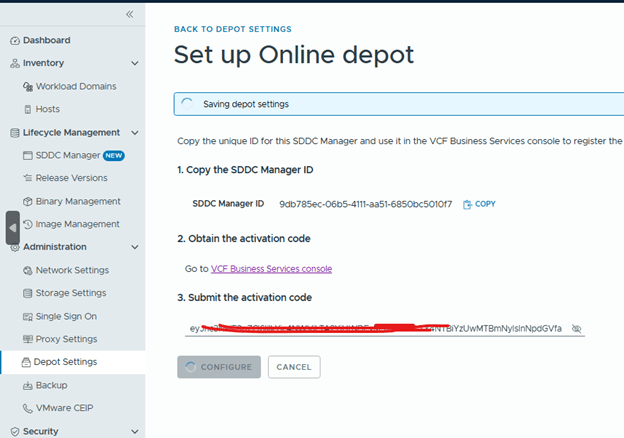
After upgrading SDDC Manager to version 9.1, log in to SDDC Manager and navigate to Administration > Depot Settings. Reconfigure your online or offline depot to use an activation code from the VCF Business Services console instead of the previous download token model.
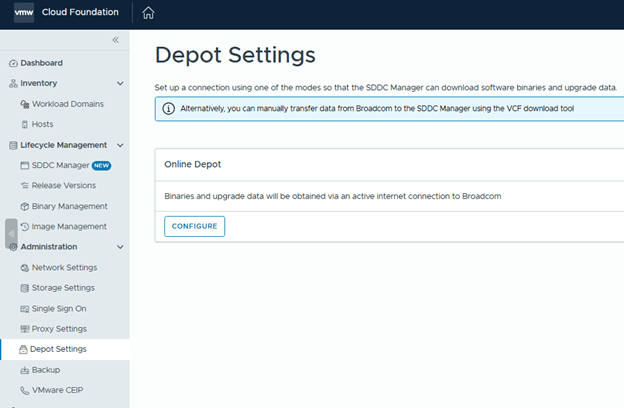
Copy the depot registration ID and log in to the VCF Business Services console.
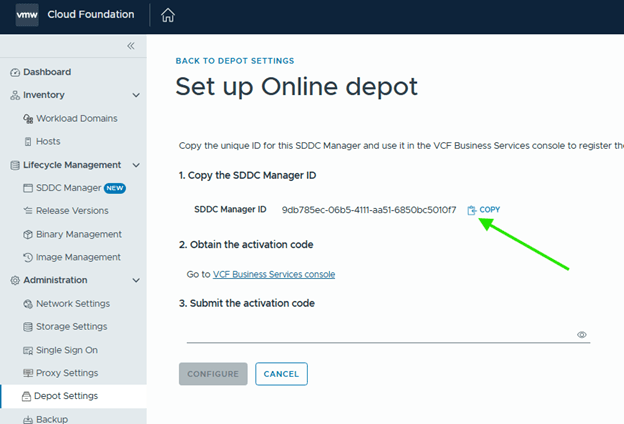
From the Business Services console (VCF Business Services), go to Software Depot Registration and register the SDDC Manager depot.
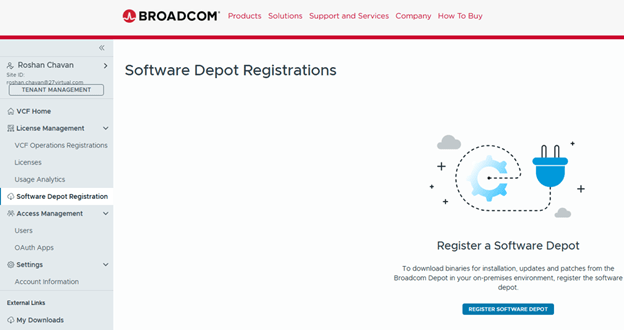
Paste the ID and Register,
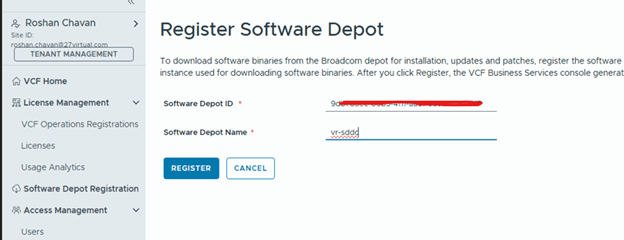
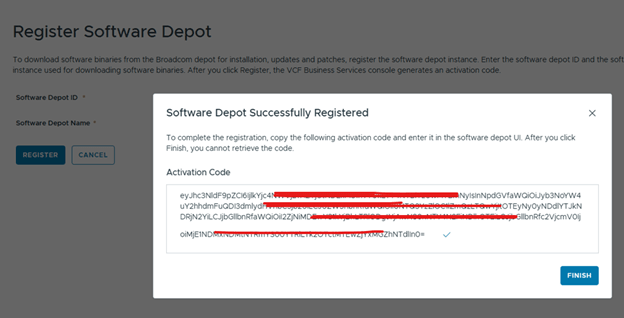
Copy the generated activation code, but do not complete the registration workflow until the code has been applied in SDDC Manager.
SDDC Manager> Enter the copied code and configure,
Step 5: Deploy VCF Management Services
Click on the instance level,
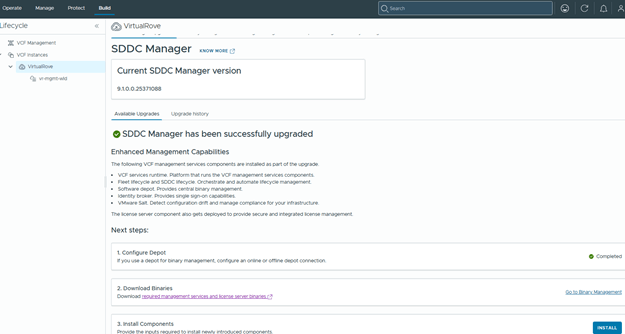
In VCF Operations, return to the instance-level upgrade workflow. The first task, Configure Depot, should now show as completed.
VCF 9.1 introduces enhanced management capabilities through a new set of VCF management services.
The following VCF management services components are installed as part of the upgrade.
- VCF services runtime. Platform that runs the VCF management services components.
- Fleet lifecycle and SDDC lifecycle. Orchestrate and automate lifecycle management.
- Software depot. Provides central binary management.
- Identity broker. Provides single sign-on capabilities.
- VMware Salt. Detect configuration drift and manage compliance for your infrastructure.
- The license server component also gets deployed to provide secure and integrated license management.
Next, download the required binaries for the additional VCF 9.1 management services.
Required Binaries:
1. Fleet Lifecycle
2. SDDC Lifecycle
3. VCF Services Runtime
4. Salt RaaS
5. Salt Master
6. VCF Identity Broker
7. Software Depot
8. Telemetry
9. License Server
Go to the Binary Management> Select the version> Install Binaries,
Select all required binaries and download it,
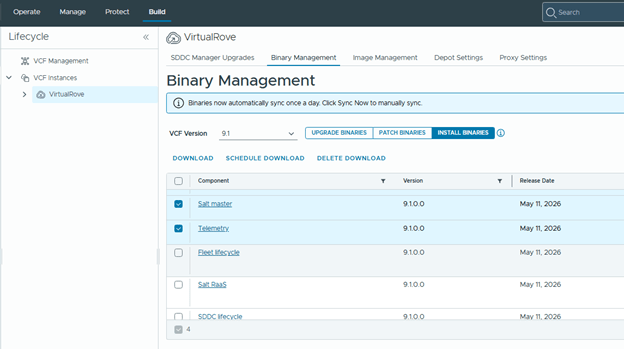
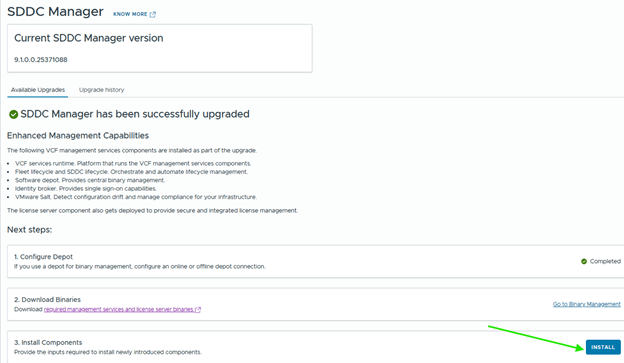
Once downloaded, back to upgrade page install all required components,
Enter the password and connect,
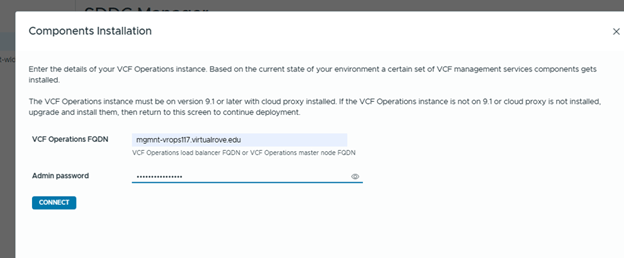
This is one of the areas where the workflow can become confusing, especially when providing the VCF Services Runtime CIDR.
VCF Servies runtime CIDR
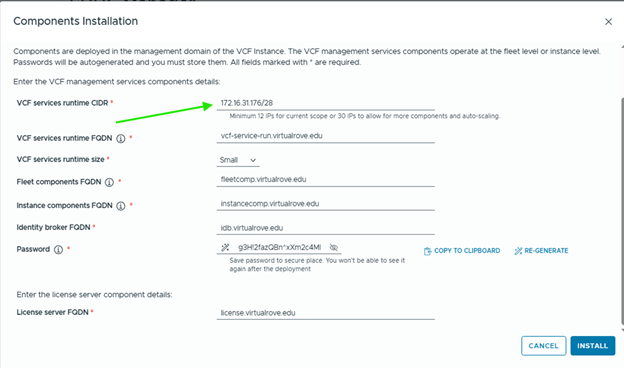
VCF Services Runtime CIDR: Provide a dedicated IP range for the VCF Services Runtime. A minimum of 12 IP addresses is required. In my lab, I allocated 12 IP addresses from the VM Management network in CIDR format.
Create DNS records for the new management services components.
VCF Service Runtime
Fleet Components
Instance Components
Identity Broker
License Server
During the upgrade of the first VCF instance that hosts VCF Operations, the following management services are deployed.
VCF services runtime
Fleet lifecycle
SDDC lifecycle
Software depot
Identity broker
Salt RaaS
Salt master
Telemetry
Generate and copy the password for VCF Identity Broker, then start the installation.
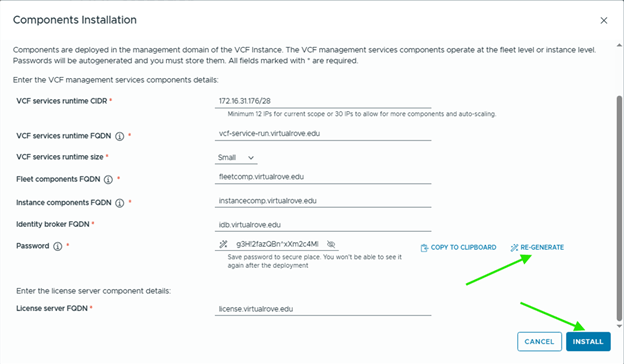
Monitor the task from SDDC Manager. This workflow deploys the required management service appliances on the management domain vCenter.
With SDDC Manager upgraded and the new VCF Management Services deployed, the VCF 9.1 environment is now ready for the next phase of the upgrade journey. These steps are important because they establish the updated lifecycle, depot, identity, licensing, and management service foundation required for the rest of the platform upgrade.
See you in the next blogpost.
Are you looking out for compute resources (CPU / Memory / Storage) to practice VMware products…? If yes, then click here to know more about our Lab-as-a-Service (LaaS).
 Welcome to VirtualRove.COM